

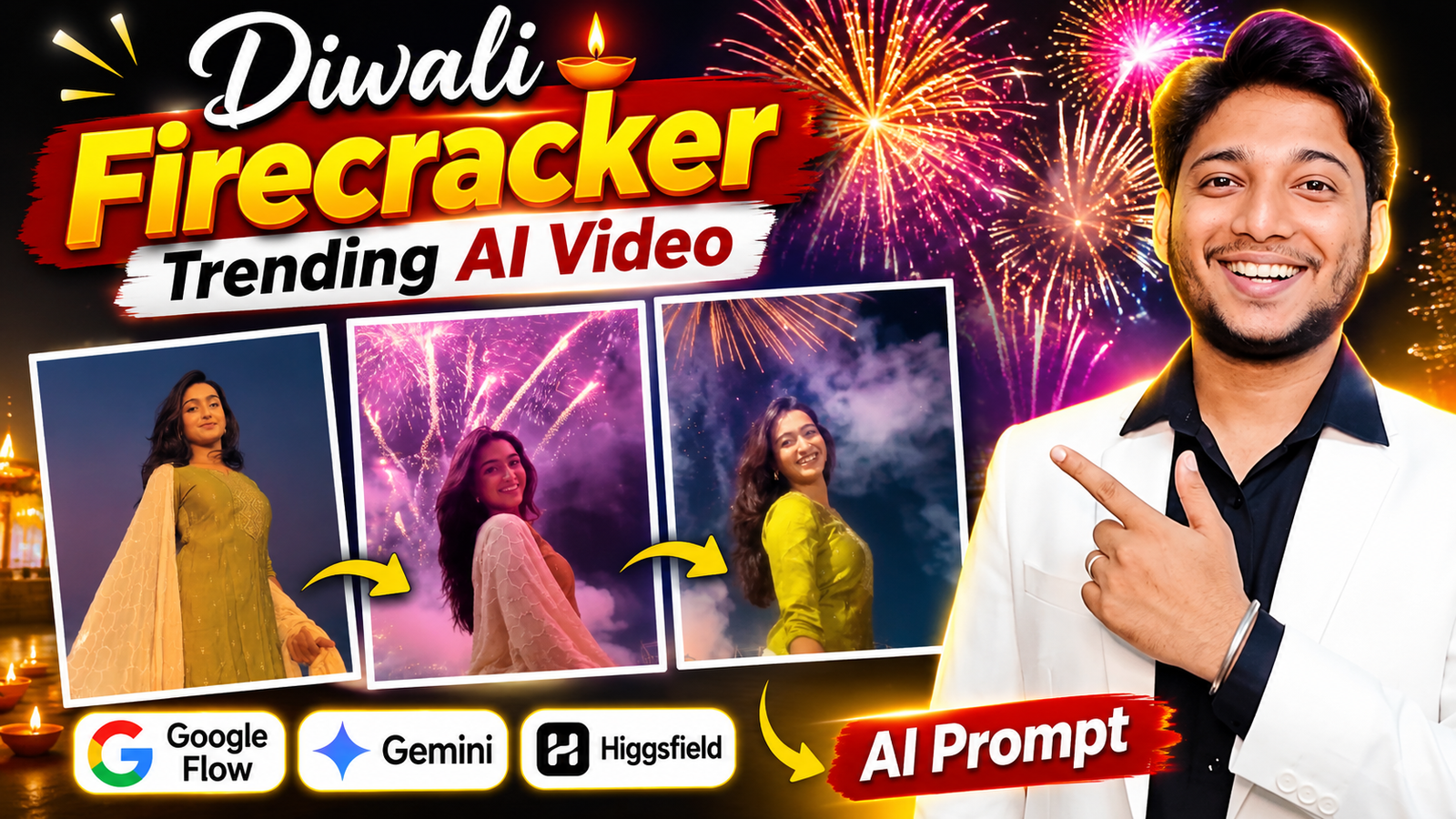
Diwali ke time Instagram Reels aur YouTube Shorts par colourful lights aur fireworks wale videos dekhne ko milte hain. Lekin aajkal ek alag tarah ka AI video bhi logon ko kaafi pasand aa raha hai. Is video mein ek ladki camera ke saamne walk karti hai aur jaise hi woh ghoomti hai, uske peeche aasman mein colourful firecrackers phootne lagte hain.
Peeche golden, red, green aur pink fireworks dikhai dete hain. Character ke ghoomne aur fireworks shuru hone ka timing video ko aur bhi interesting bana deta hai. Pura scene ek real Diwali celebration jaisa lagta hai.
Sabse achhi baat ye hai ki aisa video banane ke liye aapko real fireworks arrange karne ya khud camera ke saamne shooting karne ki zarurat nahi hai. Aap apni ek photo, ek reference video aur AI prompt ki help se aisa video create kar sakte hain.
Aajkal AI tools ki madad se log apni normal photos ko festive videos mein badal rahe hain. Agar aap bhi Diwali Firecracker AI Video Prompt 2026 search kar rahe hain, to is article mein aapko reference video, copy-paste prompt aur poora process milega. Saath hi Google Flow, Gemini aur Higgsfield mein se kis platform ka use karna chahiye, ye bhi samjhenge.
Follow on InstagramDiwali Firecracker AI Video Kya Hai?
Diwali Firecracker AI Video ek aisa video hai jisme AI ki help se kisi person ko colourful fireworks ke background mein dikhaya jata hai.
Ismein character pehle camera ki taraf walk karta hai. Phir woh dheere se ghoomta hai aur usi waqt uske peeche aasman mein fireworks shuru ho jaate hain.
Aap apni pasand ke hisaab se traditional Indian outfit, night background aur alag-alag colours ke fireworks dikha sakte hain.
Agar aap bhi apni photo se Viral Diwali Fireworks Video banana chahte hain, to neeche diya gaya tutorial follow karein.
Video Banane Se Pehle Ye 2 Baatein Samajh Lein
1. Apni Ek Clear Photo Select Karein
Sabse pehle apne phone se ek achhi quality wali photo select karein. Photo mein aapka face aur body clearly dikhni chahiye. Koshish karein ki photo mein sirf ek person ho, taaki AI ko character samajhne mein aasani ho.
Aap normal kapdon wali photo bhi use kar sakte hain. Hamare prompt mein AI ko traditional Indian festive outfit pehnane ki instruction di gayi hai.
2. Reference Video Mute Kyun Rakhein?
Reference video ka use character ke movement, camera angle aur fireworks ke timing ko samjhane ke liye kiya jayega. Isliye is tutorial mein reference video ko mute rakhna recommended hai.
Reference video ka original song ya background sound final video mein aana zaroori nahi hai. Agar aap apne final video mein Diwali song ya trending music lagana chahte hain, to video download karne ke baad kisi bhi editing app mein song add kar sakte hain.
Google Flow Se Diwali Firecracker Video Kaise Banaye?
Is tarah ka Diwali AI Video Editing karne ke liye aap Google Flow, Google Gemini aur Higgsfield jaise AI platforms ka use kar sakte hain. Teeno ka kaam karne ka tarika thoda alag hai.
1. Google Flow – Reference Video Ke Saath AI Video Banane Ke Liye
Is tutorial ke liye Google Flow meri pehli recommendation hai. Ismein aap text prompt, photo aur supported reference features ki help se apna video bana sakte hain.
Aap apni photo ko character reference aur reference video ko movement samjhane ke liye use kar sakte hain, agar selected model mein ye options available hain.
Google Flow: Official Google Flow Website
2. Google Gemini – Photo Se Diwali Video Banane Ke Liye
Agar aap sirf apni photo se Diwali fireworks video banana chahte hain, to Google Gemini bhi try kar sakte hain.
Ismein available video creation feature ke through photo aur text prompt ki help se video banane ka option mil sakta hai. Aap fireworks aur Diwali celebration jaisa background create karne ki instruction de sakte hain.
Google Gemini: Official Google Gemini Website
3. Higgsfield – Reference Video Ka Movement Use Karne Ke Liye
Agar aap chahte hain ki reference video mein jo person walk karta hai, ghoomta hai aur pose deta hai, usi tarah ka movement aapki photo wale character mein aaye, to Higgsfield ka Genjutsu feature try kar sakte hain.
Is tarah ka feature reference video ke movement ko naye character ke saath recreate karne mein useful ho sakta hai.
Higgsfield: Official Higgsfield Website
Meri Recommendation: Is tutorial ke liye pehle Google Flow try karein. Agar aapka main focus reference video ka movement apne character par lana hai, to Higgsfield bhi try kar sakte hain.
Google Flow Mein Video Banane Ke Steps
Step 1: Reference Video Download Karein
Sabse pehle is article mein diya gaya reference video apne phone mein download kar lein.
Step 2: Prompt Copy Karein
Neeche diya gaya Diwali Firecracker AI Video Prompt copy kar lein.
Step 3: Google Flow Open Karein
Google Flow open karein aur apne Google account se login karke ek naya project start karein.
Step 4: Apni Photo Aur Reference Video Upload Karein
Apni clear photo ko character reference aur reference video ko movement reference ke roop mein add karein. Ye options selected model mein supported hone chahiye.
Step 5: Prompt Paste Karein
Copied prompt ko prompt box mein paste karein. Ek baar check kar lein ki dono references sahi tarah attach hain.
Step 6: Generate Par Click Karein
Ab Generate button par click karein aur video ready hone ka wait karein. Video banne ke baad use poora check karein aur pasand aane par download kar lein.
Select the Right Video Size
Video generate karne se pehle apne social media platform ke hisaab se size select karein.
- 9:16 Portrait: Instagram Reels, YouTube Shorts aur WhatsApp Status ke liye.
- 16:9 Landscape: YouTube normal videos aur widescreen content ke liye.
Agar aapka main purpose Instagram Reels ya YouTube Shorts par video upload karna hai, to 9:16 ratio select karein.
Caption Ideas for This AI Video
Video ready hone ke baad Instagram ya Facebook par upload karte waqt ye captions use kar sakte hain:
- Diwali vibes with a little AI magic! ✨
- When the sky meets the magic of AI!
- This Diwali, let the sky sparkle! 🎆
- A little twist to my Diwali celebration.
- Made with AI, inspired by Diwali!
Reference Video Aur Copy-Paste Diwali Firecracker AI Prompt
Ab aapko sirf ek reference video download karna hai aur neeche diya gaya prompt copy karna hai.
Reference Video: Is article ke saath diya gaya Diwali Firecracker reference video download karein. Iska audio mute rakhein, kyunki iska use movement aur fireworks ka timing samajhne ke liye hoga.
@video @image Create an EXACT 10-second ultra-realistic cinematic video using @video as the primary video reference and @image as the character identity reference. **MAIN INSTRUCTION: STRICT CHARACTER AND OUTFIT REPLACEMENT ONLY.** Replace the original character in @video with the exact person shown in @image. **1. STRICT IDENTITY PRESERVATION:** – Preserve the exact facial features, face shape, skin tone, hairstyle, and identity of the person in @image. – Do not modify, beautify, reshape, or alter the person’s face. – The final character must be clearly recognizable as the person from @image. **2. OUTFIT CHANGE – VERY IMPORTANT:** – Do NOT copy the clothing worn by the person in @image. – Do NOT copy the original character’s outfit from @video. – Generate a completely new, beautiful, elegant, and stylish traditional Indian outfit for the person. – Choose a visually attractive outfit such as a beautiful red saree, yellow saree, elegant kurti, or another gorgeous traditional Indian dress. – Select a suitable color and design that looks natural and beautiful in the nighttime fireworks environment. – The outfit must look realistic, premium, and naturally fit the person’s body. – Maintain consistent clothing throughout the entire 10-second video. **3. EXACT VIDEO RECREATION:** Recreate the original reference video’s scenes, camera angles, camera movements, body movements, poses, expressions, timing, and transitions as accurately as possible. Preserve: – Original nighttime outdoor environment. – Colorful fireworks in the sky. – Smoke, lighting, and cinematic atmosphere. – Original camera angles and framing. – Character movements and poses. – Original background and visual composition. **4. VIDEO SPECIFICATIONS:** – Duration: EXACTLY 10 seconds. – Quality: Ultra-realistic cinematic 4K. – Natural human movements. – Realistic facial expressions. – Detailed and realistic clothing textures. – Smooth camera movements and transitions. **5. STRICT RESTRICTIONS:** – Do not change the background. – Do not change the fireworks. – Do not change the original camera composition. – Do not introduce additional characters. – Do not copy either reference character’s original outfit. – Do not change the person’s identity or facial appearance. – Do not create a new scene inspired by the reference. **FINAL RESULT:** The final video must look almost identical to @video in terms of scene, movements, camera angles, and timing. The ONLY intended changes are: 1. Replace the original character with the person from @image. 2. Give the replaced character a beautiful, newly generated traditional Indian outfit. Everything else must remain faithful to the original reference video..

FAQs – Diwali Firecracker AI Video
1. Diwali Firecracker AI Video Kaunse Platform Se Bana Sakte Hain?
Aap Google Flow, Google Gemini aur Higgsfield jaise AI platforms try kar sakte hain. Available features ke hisaab se result alag ho sakta hai.
2. Kya Apni Normal Photo Se Diwali Fireworks Video Bana Sakte Hain?
Haan, aap apni clear photo ko character reference ke roop mein use karke aisa video create karne ki koshish kar sakte hain.
3. Instagram Reels Ke Liye Kaunsa Video Size Best Hai?
Instagram Reels aur YouTube Shorts ke liye 9:16 portrait ratio use kar sakte hain.
Final Words
To bhai, ab aap bhi apni ek normal photo se Diwali Firecracker AI Video bana sakte hain. Is video ka sabse interesting part hai character ka ghoomna aur usi waqt background mein colourful fireworks ka shuru hona.
Aap Google Flow se shuruaat kar sakte hain. Agar reference video ka movement apne character par lana chahte hain, to Higgsfield bhi try karein. Video ready hone ke baad apni pasand ka Diwali song add karein aur Instagram Reels ya YouTube Shorts par share karein.
Trending Diwali Firecracker AI Video Keywords
- Diwali Firecracker AI Video Prompt
- Create Diwali Firecracker Trending Video
- Google Flow Diwali Video Prompt
- Diwali AI Video Editing
- Viral Diwali Fireworks Video
- Google Flow AI Video Tutorial
- Diwali Trending Video Prompt 2026
- AI Firecracker Video Kaise Banaye
- Diwali Fireworks AI Video
- Google Flow Video Generation
- Diwali Girl Fireworks Video Prompt
- AI Diwali Celebration Video
- Diwali Reels AI Video Prompt
- Gemini Diwali AI Video
- Higgsfield Diwali Video Prompt
- AI Fireworks Video Editing
