


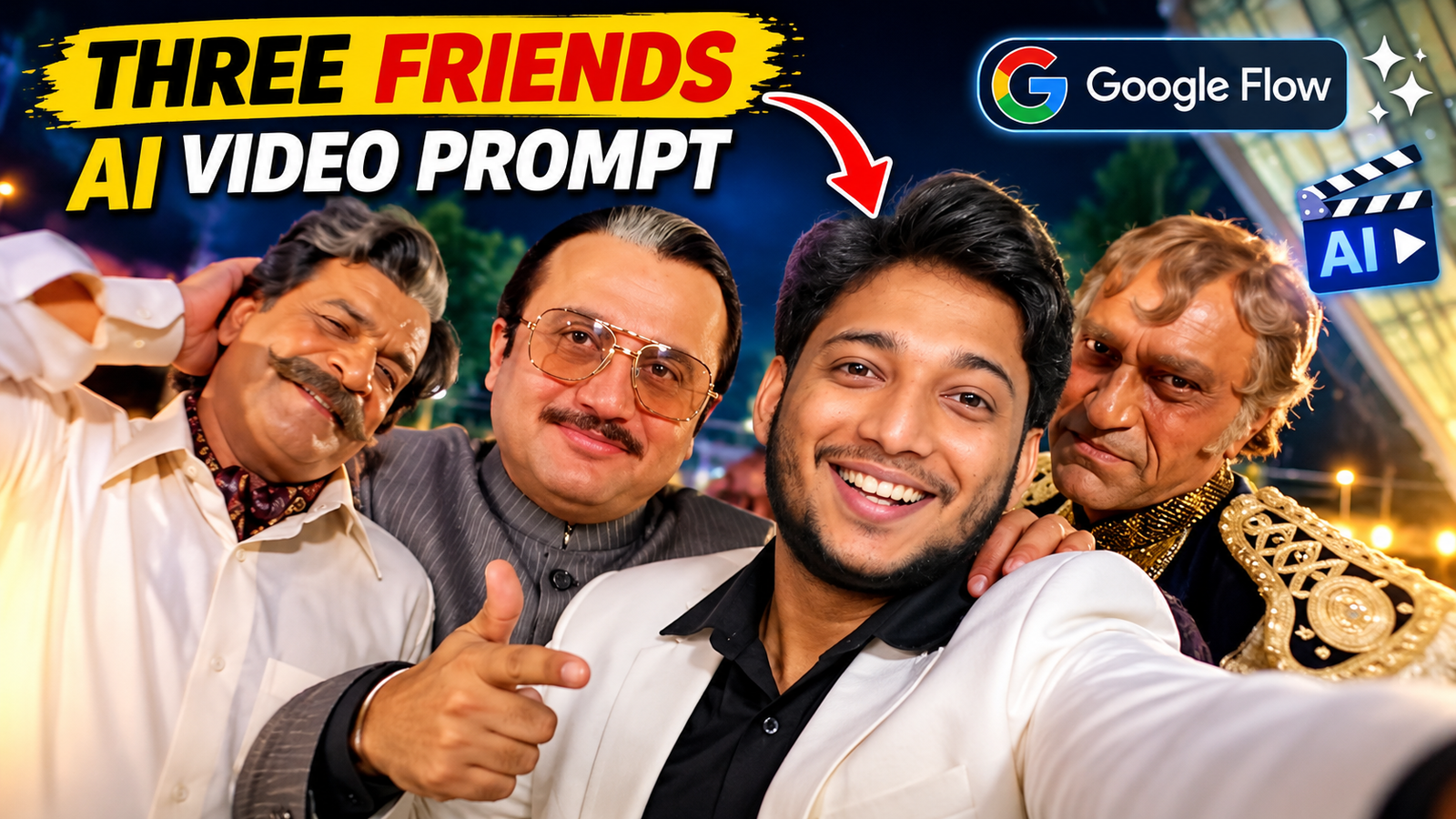
Aajkal Instagram Reels aur YouTube Shorts par AI se bani videos kaafi dekhne ko mil rahi hain. Koi apni photo se video bana raha hai, toh koi apne friends ke saath aise scenes create kar raha hai jo dekhne mein bilkul real lagte hain.
Agar tum bhi apne do friends ke saath ek aisi video banana chahte ho, jisme teno selfie le rahe hon, camera ke samne masti kar rahe hon aur natural dikh rahe hon, toh tum bhi AI tools ki help le sakte ho.
Is article mein hum Three Friends AI Video Prompt use karna, Google Flow par video banana aur Google Gemini ya Higgsfield jaise doosre AI tools ke baare mein samjhenge. Saath hi, tumhe ek ready-to-use prompt bhi milega, jise apni photo ke saath try kar sakte ho.
Follow on Instagram1. Three Friends AI Video Kya Hai?
Three Friends AI Video ek aisi video hai jisme tum apni aur apne do friends ki photo use karke AI se ek naya scene create kar sakte ho.
Maan lo tumne ek video dekhi jisme teen dost selfie le rahe hain aur funny expresions de rahe hain. Tum bhi chahte ho ki usi tarah ki video mein tumhare apne friends dikhai dein.
Aise mein tum apne friends ki photo aur ek suitable prompt use kar sakte ho. Agar tumhara AI tool reference video support karta hai, toh uski help se scene aur movements ko guide bhi kar sakte ho.
2. AI Video Banane Ke Liye Account Kaise Banaye?
Video banane se pehle apne pasand ke platform par account open kar lo.
Google Gemini
- Google Gemini open karo.
- Apne Google account se sign in karo.
- Video banane ka option check karo.
- Agar feature available hai, toh apni photo aur prompt ke saath try karo.
Gemini mein photo se video banane ke features available hain, lekin access tumhare account aur plan par depend kar sakta hai. Google Help
Google Flow
- Google Flow open karo.
- Apne Google account se sign in karo.
- Naya project shuru karo.
- Video banane aur photo ya reference upload karne ke available options check karo. Google Help
Higgsfield AI
- Higgsfield AI open karo.
- Sign up ya login ka option select karo.
- Account banane ke liye screen par diye gaye steps follow karo.
- Available image-to-video ya reference video features check karo. Higgsfield
3. AI Video Banane Ke Liye Kaun Se Platforms Use Karein?
Ab sawal hai ki AI Video With Friends banane ke liye kaunsa platform sahi rahega.
- Google Flow: Photo, prompt aur supported reference inputs ki help se video create karne ke liye try karo. Google Help
- Google Gemini: Apni photo ko video mein badalne aur video ideas try karne ke liye use kar sakte ho. Google Help
- Higgsfield AI: Image-to-video aur reference video se movements guide karne jaise features ke liye explore kar sakte ho. Higgsfield
Agar tumhara goal reference video jaisa scene banana hai, toh aisa platform choose karo jo tumhari photo aur reference video ko support karta ho.
4. Google Flow Se AI Video With Friends Kaise Banaye?
Ab video banane ka process samajh lo.
Step 1: Google Flow open karke sign in karo.
Step 2: Apne teeno friends ki clear photo ready rakho.
Step 3: Agar tum reference video use karna chahte ho, toh upload karne ka option check karo.
Step 4: Available workflow mein photo aur reference video add karo.
Step 5: Neeche diya gaya Three Friends AI Video Prompt copy karke prompt box mein paste karo.
Step 6: Apne video ke hisaab se aspect ratio aur baaki available settings select karo.
Step 7: Generate par click karo aur result check karo.
Agar faces ya movements sahi nahi aate, toh prompt mein badlav karke dobara try kar sakte ho.
5. Select the Right Video Size
Video ka size is baat par depend karta hai ki tum use kahan upload karna chahte ho.
- 9:16: Instagram Reels aur YouTube Shorts ke liye vertical video.
- 16:9: YouTube ke normal landscape videos ke liye.
Generate karne se pehle settings check kar lena. Har platform aur model mein sabhi options available nahi hote.
6. Caption Ideas for This AI Video
Video ready hone ke baad Instagram par share karte waqt ye captions try kar sakte ho.
Caption 1: Three Friends, One AI Video! 🔥❤️
Caption 2: Real Friends, AI Magic! 🤯✨
Caption 3: Dosti + AI = Next Level! ❤️
Apni video ke scene ke hisaab se caption badal lena, taaki woh natural lage.
7. Reference Video Download Karo Aur Prompt Copy Karo
- Reference Video Upload Karo: Agar tumhare workflow mein zaroori hai, toh supported reference video upload karo. Bina audio wali video use karna tumhari choice hai; original audio baad mein editing ke waqt add kar sakte ho.
- Clear Photo Upload Karo: Aisi photo use karo jisme teeno friends ke face saaf dikh rahe hon.
- Video Settings Check Karo: Reels ke liye 9:16 aur landscape video ke liye 16:9 choose kar sakte ho. Resolution aur generation options available settings ke hisaab se select karo.
- Photo Aur Video Ko Sahi Reference Do: Agar tool
@Image 1ya@Video 1jaise labels deta hai, toh prompt mein wahi labels use karo. Labels har workflow mein same hon, zaroori nahi. - Video Generate Hone Ke Baad Check Karo: Faces aur movements dekh lo. Agar original audio add karna hai, toh editing app mein use video ke saath sync kar lo.
Ye general tips hain. Apne selected platform ke available options ke hisaab se steps follow karna.
**TASK: RECREATE THE REFERENCE VIDEO WITH THREE REPLACED CHARACTERS** Analyze the entire uploaded reference video carefully, from the first frame to the last frame. Recreate the same performance, choreography, character movements, facial expressions, camera angles, camera movements, shot transitions, timing, and lip-sync behavior as closely as possible. The final video must feature the three people from my three uploaded character reference photos instead of the three original people in the reference video. This is a CHARACTER REPLACEMENT task, NOT a new interpretation of the scene. ### 1. CHARACTER IDENTITY — HIGHEST PRIORITY Use the three uploaded photographs as the exclusive identity references for the three replacement characters. Character 1 = Person in Reference Photo 1. Character 2 = Person in Reference Photo 2. Character 3 = Person in Reference Photo 3. Preserve each person’s exact recognizable identity, facial structure, eyes, nose, lips, jawline, skin tone, hairstyle, hair texture, age appearance, and natural body proportions. Each character must remain the same identifiable person throughout the entire video. Do not blend the three faces together. Do not transfer facial features between characters. Do not generate substitute faces. Do not allow the original reference-video actors’ faces to reappear at any time. **IMPORTANT: Replace the original actors with my three friends while preserving the original performance and choreography.** ### 2. OUTFIT PRESERVATION — ABSOLUTELY CRITICAL Each character must wear exactly the outfit visible in their OWN uploaded character photograph. Character 1 must retain the exact clothing from Photo 1. Character 2 must retain the exact clothing from Photo 2. Character 3 must retain the exact clothing from Photo 3. Preserve the original colors, fabric, patterns, collar, sleeves, buttons, accessories, fit, and other visible clothing details. The reference video’s original actors’ outfits must NEVER be transferred to my characters. Do not copy the grey suit, white shirt, black-and-gold jacket, or any other clothing from the original actors unless that clothing is already present in the corresponding character’s own reference photograph. When a character moves, dances, raises their arms, turns, or changes position, their original outfit must remain unchanged. No wardrobe swapping, no costume morphing, no color changes, no unexpected accessories, and no outfit blending between characters. **The reference video determines HOW the characters move. The individual character photographs determine WHO they are and WHAT THEY WEAR.** ### 3. REPLICATE THE ORIGINAL PERFORMANCE Study the reference video frame by frame and reproduce the original actions as accurately as possible. Match the following elements: – Original body movements and choreography. – Head tilts, head turns, and head bobs. – Shoulder movements and upper-body gestures. – Hand gestures, finger positions, and arm movements. – Facial expressions and expression changes. – Mouth shapes and singing-related facial movements. – Body posture, leaning, swaying, and weight shifts. – Interactions between the three characters. – Character positions, distances, and relative sizes. – Timing, movement speed, and pauses. – Original camera perspective and framing. Do not invent a different dance. Do not simplify the choreography. Do not replace the original gestures with generic dancing. Do not make all three characters perform identical movements unless the reference video shows them doing so. Each character must reproduce the movements of the corresponding original performer, while retaining their own identity and outfit. ### 4. LIP-SYNC — EXTREMELY IMPORTANT Reproduce the original singing performance as closely as the available audio and video-reference controls allow. Analyze the original timing of every visible mouth movement, including the opening and closing of the mouth, lip shapes, jaw movements, and changes in facial expression. Match each character’s mouth movements to the corresponding syllables, words, beats, and musical phrasing in the original audio. The central character must reproduce the original central performer’s visible singing and lip-sync behavior. The other two characters must reproduce their corresponding visible mouth movements and expressions from the reference video. Do not make all three characters sing continuously if the reference shows only one character performing the main lip-sync at that moment. Maintain natural facial movement while preserving the identity of each replacement character. No random mouth opening. No delayed lip-sync. No frozen lips during visible singing. No exaggerated talking unrelated to the music. No artificial facial distortion. No switching between different faces during mouth movements. **AUDIO REQUIREMENT:** If the original audio is available as a reference, preserve its original timing and use the same audio track when the workflow permits. Do not invent new lyrics, replace the song, or generate unrelated background music. If the workflow cannot retain the original audio, use the original audio track during editing and synchronize the generated footage to it. ### 5. CAMERA MOVEMENTS AND SHOT TRANSITIONS Reproduce the reference video’s original camera behavior rather than using a new camera setup. Match the original selfie-style framing, close-ups, medium shots, wider shots, camera distance, perspective, and movement. Preserve the original handheld camera feeling wherever visible. Recreate the original transitions between shots and the changes in framing as closely as possible. Do not introduce unnecessary cinematic camera movements, slow motion, additional zooms, dramatic angle changes, or new shots. Do not turn the entire video into a single static shot. The camera must follow the original sequence and timing of the reference video. ### 6. ENVIRONMENT AND BACKGROUND Preserve the reference video’s environment, background arrangement, lighting conditions, and overall visual atmosphere as closely as the reference-video workflow allows. Maintain the same nighttime outdoor setting, surrounding architecture, greenery, illuminated building surfaces, and visible background elements wherever they appear in the corresponding reference shots. Keep the scene visually consistent between cuts. Do not replace the environment with a studio, a different location, a fantasy environment, or an unrelated background. Keep realistic perspective, natural shadows, and consistent lighting on the replacement characters. ### 7. TEMPORAL CONSISTENCY All three characters must remain visually stable throughout the complete sequence. Maintain consistent faces, hairstyles, clothing, body proportions, and character identities across every frame. Prevent face flickering, face swapping, identity drift, clothing changes, duplicated limbs, malformed hands, disappearing fingers, body deformation, and unnatural transitions. Preserve the original relative positions and interactions between the three characters. If a character moves out of a close-up or enters a wider shot, the same character must remain recognizable when visible again. Do not create extra people or duplicate any of the three friends. ### 8. TIMING AND VIDEO STRUCTURE Use the uploaded reference video as the primary guide for the complete timeline. Reproduce the original sequence of shots, the duration of individual actions, the timing of gestures, the changes in character focus, and the final group interaction. Do not skip intermediate movements. Do not rearrange the order of actions. Do not shorten the performance by removing important moments. Do not add an unrelated opening or ending. Match the original video’s duration and aspect ratio when the generation workflow supports them. ### 9. VISUAL QUALITY Photorealistic live-action appearance. Natural human anatomy. Realistic facial expressions. Accurate body mechanics. Natural motion blur. Consistent skin texture. Stable facial identity. Realistic fabric movement. Clean shot transitions. No cartoon appearance. No artificial plastic skin. No exaggerated facial features. No unnecessary visual effects. ### 10. FINAL INSTRUCTIONS — STRICT PRIORITY ORDER Priority 1: Preserve the exact identities of all three people from their individual reference photographs. Priority 2: Preserve each person’s original outfit from their own photograph without any changes. Priority 3: Reproduce the reference video’s choreography, body movements, gestures, expressions, and character interactions. Priority 4: Match the original lip-sync timing and singing performance using the available audio reference. Priority 5: Match the original camera framing, shot sequence, transitions, environment, and overall visual appearance. Priority 6: Maintain temporal consistency and realistic motion throughout the complete video. **FINAL RESULT:** Create a faithful recreation of the uploaded reference video featuring my three friends instead of the original three actors. My friends must retain their own faces and their own original outfits, while their performances closely follow the original actors’ movements, expressions, choreography, and lip-sync timing. Do not create a loosely inspired remake. Reproduce the original performance as closely as the available reference controls allow.

8. Frequently Asked Questions (FAQs)
Q1. Three Friends AI Video banane ke liye kaunsa platform use karein?
Google Flow, Gemini ya Higgsfield try kar sakte ho. Aisa platform choose karo jo tumhari photo aur reference video ko support karta ho.
Q2. Kya AI video mein mera face same rahega?
AI tumhare face ko same rakhne ki koshish kar sakta hai, lekin har baar perfect result milna zaroori nahi hai.
Q3. Kya ye prompt Instagram Reels ke liye use kar sakte hain?
Haan, tum ise Reels ke liye try kar sakte ho. Agar aspect ratio ka option mile, toh 9:16 select karo.
9. Final Words
Agar tum apne friends ke saath ek interesting AI video banana chahte ho, toh upar diya gaya Three Friends AI Video Prompt try kar sakte ho.
Apni clear photo use karo, sahi settings select karo aur video generate hone ke baad result check karna mat bhoolna. Agar pehli baar mein video achhi nahi banti, toh prompt mein thoda badlav karke dobara try karo.
Related Search Keywords
- Three Friends AI Video Prompt
- Three Friends AI Video
- Google Flow AI Video Prompt
- AI Video With Friends
- Three Friends Selfie Video
- Friends AI Video
- AI Video From Photo
- Three Person AI Video
- Viral AI Video Prompt
- Google Flow Video Tutorial
- AI Friends Video Generator
