


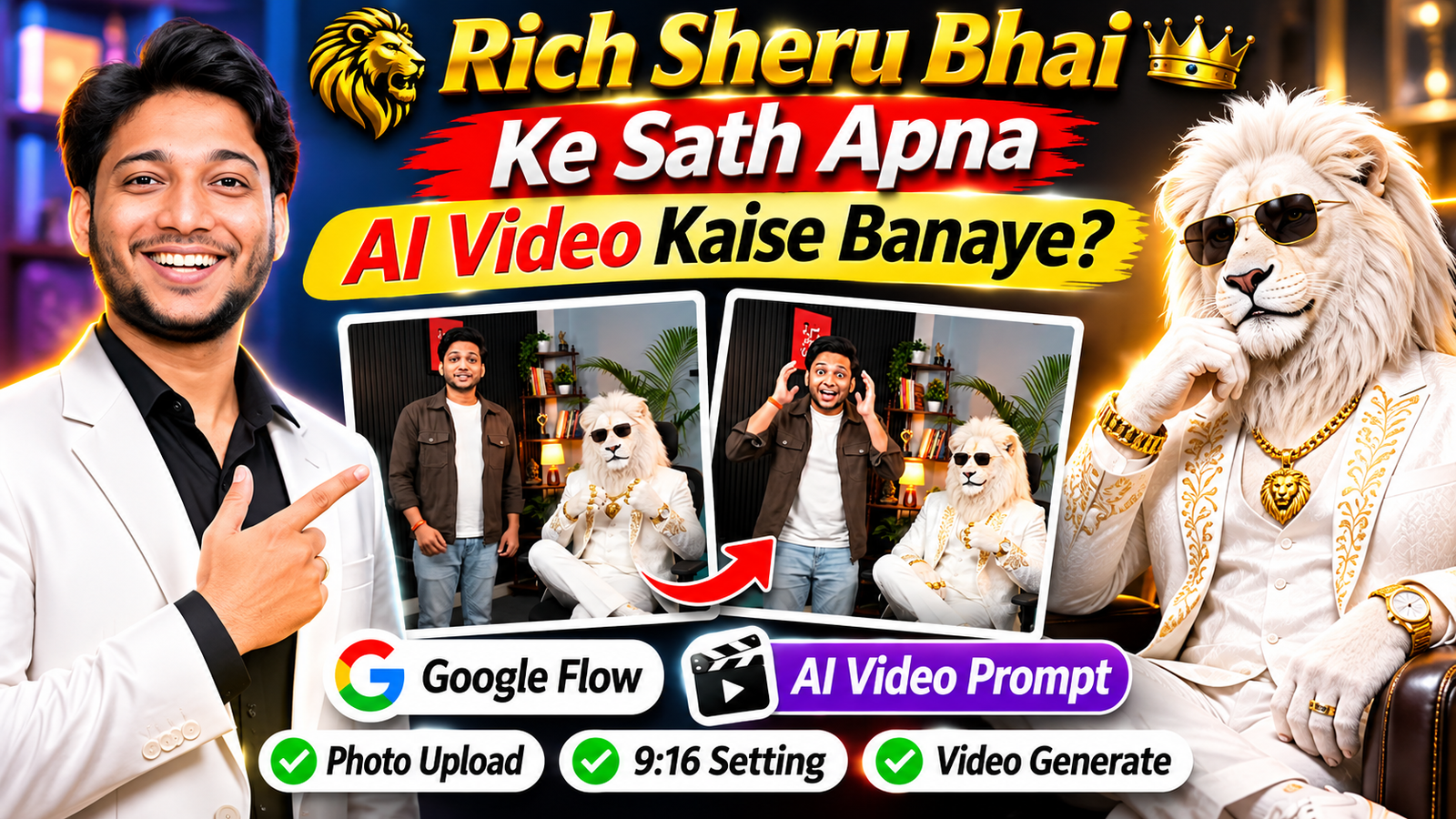
Aajkal Instagram Reels aur YouTube Shorts par AI se bane videos kaafi dekhne ko mil rahe hain. Kabhi koi apni photo ko superhero ke saath dikha raha hai, toh kabhi AI ki madad se kisi royal character ke saath apna video bana raha hai. Aisa hi ek interesting trend hai Rich Sheru Bhai AI Video.
Is video mein ek royal white lion hota hai, jise Rich Sheru Bhai ke naam se dikhaya jata hai. Kabhi woh luxury office mein baitha hota hai, toh kabhi kisi bade mansion ya mehengi car ke paas nazar aata hai. Lekin is video ki sabse interesting baat ye hai ki aap bhi apni photo ko Sheru Bhai ke saath dikha sakte ho.
Socho, aap ek luxury office mein Sheru Bhai ke saath baithe ho, dono camera ki taraf dekh rahe ho aur poora scene kisi movie jaisa lag raha hai. Aisa video dekhkar aapke mann mein bhi sawal aaya hoga ki Rich Sheru Bhai Ke Sath Apna AI Video Kaise Banaye?
Iske liye aapko camera lekar video shoot karne ki zaroorat nahi hai. Aap apni ek clear photo upload karke Google Flow ki madad se AI video bana sakte ho. Is article mein main aapko photo upload karne se lekar video generate aur download karne tak ka poora tarika bataunga. Saath hi ek ready-made Rich Sheru Bhai Video Prompt bhi milega, jise aap copy karke use kar sakte ho.
Follow on InstagramRich Sheru Bhai AI Video Kya Hai?
Rich Sheru Bhai AI Video ek AI-generated video hai, jisme ek safed lion ko rich businessman ke look mein dikhaya jata hai. Uske lambe safed baal, golden eyes, white suit aur gale mein golden chain hoti hai.
Is video ka idea simple hai. Aap apni photo Google Flow mein upload karte ho aur prompt mein batate ho ki aapko Sheru Bhai ke saath kis scene mein dikhna hai.
Jaise aap dono luxury office mein baithe ho, kisi bade mansion mein walk kar rahe ho ya ek premium car ke paas khade ho. AI aapki photo ko reference ke roop mein use karke naya video scene banata hai. Isi tarah ke content ko log White Lion AI Video aur Rich Lion AI Video jaise naam se bhi search kar sakte hain.
Apni Photo Se AI Video Banane Ke Liye Kya Chahiye?
Video banana shuru karne se pehle ye cheezein ready rakho:
- Apni Clear Photo: Aisi photo jisme aapka face saaf dikh raha ho.
- Google Account: Google Flow mein login karne ke liye.
- Google Flow: AI video generate karne ke liye.
- AI Video Prompt: Neeche diya gaya prompt copy karke use karna hai.
Photo select karte waqt dhyan rakho ki face blur na ho aur lighting achhi ho. Normal camera se li gayi photo bhi chalegi. Bahut zyada filter wali photo use karne se bachna.
Google Flow Se Rich Sheru Bhai Ke Sath Apna AI Video Kaise Banaye?
Ab aate hain main process par. Is Google Flow AI Video tutorial mein hum apni photo ko reference ke roop mein use karenge.
Step 1: Google Flow Open Karo
Sabse pehle Google Flow ki official website open karo. Apne Google Account se login karo aur New Project start karo.
Step 2: Apni Photo Upload Karo
Ab prompt box ke paas diye gaye Add Image ya Ingredients option se apni clear photo upload karo. Photo upload hone ke baad check kar lo ki woh sahi tarah attach hui hai.
Dhyan rahe ki photo ko reference ke roop mein use karne ke liye selected video model mein Ingredients ya Image Reference ka support hona chahiye. Iske baare mein Google Flow ka official photo reference guide bhi dekh sakte ho.
Step 3: Video Mode Select Karo
Ab generation type mein Video select karo. Agar model choose karne ka option milta hai, toh aisa model select karo jo uploaded photo ko reference ke roop mein use kar sake.
Step 4: Apna Prompt Paste Karo
Ab neeche diya gaya Rich Sheru Bhai AI Video Prompt copy karo aur prompt box mein paste kar do. Check kar lena ki tumhari photo bhi attached hai.
Step 5: Video Generate Karo
Ab video ki settings check karke Generate par click karo. AI tumhari photo aur prompt ke hisaab se video banayega. Video ready hone ke baad preview dekho aur pasand aaye toh download kar lo.
Google Flow ke options aur features model, account aur region ke hisaab se alag ho sakte hain. Latest settings ke liye Google Flow Help check kar sakte ho.
Select the Right Video Size
Video banate waqt sahi size select karna bhi zaroori hai. Agar tum video Instagram Reels, YouTube Shorts ya Facebook Reels par upload karna chahte ho, toh 9:16 Portrait Ratio select karo.
Is ratio mein video mobile ki poori screen par dikhega. Agar tum normal YouTube video banana chahte ho, toh 16:9 Landscape Ratio use kar sakte ho.
Google ke mutabik Veo 3.1 Ingredients to Video mein vertical 9:16 video generation ka support bhi diya gaya hai. Details ke liye Google ka Veo 3.1 update padh sakte ho.
Caption Ideas for This AI Video
Video ready hone ke baad use Instagram Reels ya YouTube Shorts par share kar sakte ho. Caption samajh nahi aa raha toh inmein se koi use kar lena:
- Sheru Bhai ke saath meri royal entry! 🦁
- Jab AI ne mujhe Rich Sheru Bhai ke saath mila diya! 🔥
- Apni photo se banaya ye amazing AI video.
- Sheru Bhai ke saath luxury lifestyle! 👑
- Ye video real nahi, AI ka kamaal hai!
AI Video Ka Result Achha Kaise Banaye?
Agar tum chahte ho ki video achha dikhe, toh in baaton ka dhyan rakhna:
- Hamesha clear aur original photo upload karo.
- Face ko cover karne wali photo use mat karo.
- Prompt ki sabhi zaroori lines copy karo.
- Agar pehli baar mein face sahi nahi aata, toh dobara try karo.
- Agar alag scenes mein lion ka look badal raha hai, toh scenes ko alag clips mein generate karke dekho.
Ek baat yaad rakhna, AI har baar face ko 100% same nahi rakhta. Isliye perfect result ki guarantee nahi hai.
Rich Sheru Bhai Video Prompt – Copy And Paste
Create an ultra-realistic cinematic 9:16 vertical video set inside a modern Indian content creator’s home studio. IMPORTANT: This is a completely new text-to-video generation. Do not recreate an uploaded video. Follow the exact environment, characters, dialogue, actions and composition described below. ENVIRONMENT AND BACKGROUND Create a realistic modern Indian creator studio with the following exact layout: LEFT BACKGROUND: A large black vertical fluted acoustic-panel wall extending from the floor upwards. A small red framed artwork hangs on this wall. CENTER BACKGROUND: A compact decorative shelving unit containing books, small decorative objects, a few plants and a small lamp. Add subtle warm lighting around the shelves. RIGHT BACKGROUND: A soft light grey-blue wall with a tall indoor green palm plant and decorative wall shelves. Add warm yellow accent lighting around the plants and subtle cyan-blue ambient lighting near the lower right wall. FOREGROUND: A wooden-frame desk is visible on the left side, with a black tabletop and a turquoise/teal desk mat. MAIN FURNITURE: A large, premium BLACK ERGONOMIC OFFICE CHAIR is positioned in the center-right of the frame. It has a tall cushioned backrest, headrest, padded armrests, a wide black seat and a wheeled base. The chair must remain clearly visible and become the main seating position for Seru Bhai. FLOOR: Dark grey carpet covering the studio floor. LIGHTING: Natural indoor lighting mixed with warm yellow decorative lights and subtle cyan-blue accent lighting. Realistic shadows and premium cinematic visual quality. CAMERA: Vertical 9:16 aspect ratio. Fixed wide-angle camera. Eye-level perspective. Full-body composition showing the host, desk, black chair and studio background. No camera cuts or sudden camera movements. CHARACTER 1: THE HOST Use my already established AI avatar identity if available. Preserve its exact facial identity, hairstyle, body proportions and overall appearance. The host is a young Indian male with short black hair, wearing: – Dark brown casual jacket. – Plain white T-shirt. – Light blue jeans. Position him on the LEFT side of the black ergonomic chair, near the wooden desk. His personality is energetic, expressive, humorous and naturally excited. Use his existing configured AI avatar voice if available. Generate the exact written Hindi dialogue below without changing the words or adding any extra speech. CHARACTER 2: SERU BHAI Use the uploaded WHITE SERU BHAI CHARACTER COLLAGE as the strict visual reference. Seru Bhai is a majestic, photorealistic anthropomorphic WHITE LION. HIS APPEARANCE: – Pure white fur. – Long, thick, luxurious WHITE mane. – Powerful royal lion face. – Stylish premium sunglasses. – Beautiful ROYAL WHITE three-piece suit with intricate golden embroidery. – White royal trousers. – Premium white sneakers. – Heavy gold chain with a lion-head pendant. – Expensive gold rings and wristwatch. IMPORTANT: Seru Bhai MUST remain completely white. His fur, mane and clothes must never become brown, black or dark-colored. HIS PERSONALITY: A wealthy, confident, slightly arrogant billionaire with a king-like gangster attitude. STORY AND ACTION SEQUENCE SCENE 1 — THE INTRODUCTION The video begins with the host standing on the left side of the chair, looking excitedly towards the camera. Seru Bhai is ALREADY SITTING on the black ergonomic chair from the very first frame. He sits with one leg crossed over the other, looking relaxed and extremely confident. He casually twists his heavy golden chain with one paw, showing his royal gangster attitude. The host looks excited, gestures naturally with his hands and says: “तो आज हैहमारेसाथ सेरू भाई!” SCENE 2 — THE QUESTION The host turns his head and body towards Seru Bhai. He gestures towards him with excitement and asks: “सेरू भाई, आपके पास कि तनेपसै ेहैं?” Seru Bhai looks at the host through his sunglasses. He maintains his relaxed sitting position, one leg crossed, casually playing with his gold chain. He does not interrupt the host. SCENE 3 — SERU BHAI’S ANSWER As soon as the host finishes his question, Seru Bhai slightly turns his face towards the host. He lifts his chin slightly, maintains a confident expression and speaks in his OWN DISTINCT VOICE: “Ghop Ghop Dollars!” VOICE CHARACTERISTICS: – Very deep masculine voice. – Heavy, powerful and slightly bass-rich. – Confident, rich gangster-king personality. – Slightly slow and deliberate delivery. – Natural Indian English pronunciation. Seru Bhai must actually SPEAK this dialogue with realistic, synchronized mouth movements. Do not use the host’s voice for Seru Bhai. Immediately after speaking, Seru Bhai gives a subtle, powerful and slightly arrogant smile. SCENE 4 — THE HOST’S REACTION The host reacts with genuine comic shock. His eyes widen, eyebrows rise and mouth opens in disbelief. He raises both hands towards his head, slightly leans back and expresses his surprise by saying: “भाईसाब!” His reaction should feel spontaneous, funny and exaggerated in an entertaining way. Seru Bhai remains comfortably seated, holding his gold chain, with a satisfied royal smile. END: Hold the final reaction briefly, allowing the comedy punchline to land. AUDIO AND DIALOGUE RULES Generate the dialogue directly from the written script. Do not analyze, transcribe, extract or process any reference-video audio. Preserve the host’s established avatar voice identity if available. Seru Bhai must have a separate, original deep male voice. Do not change, paraphrase, reorder or add any dialogue. Ensure accurate lip synchronization for both characters. STRICT VISUAL CONSISTENCY Keep the room layout consistent throughout the video. Keep the black ergonomic chair in its original described position. Seru Bhai must remain seated on that exact chair. Maintain the same white lion identity, white royal clothing, gold jewelry and sunglasses throughout. Ensure realistic physical interaction with the chair, natural shadows, accurate proportions and seamless CGI integration. VISUAL STYLE: Photorealistic cinematic CGI, premium live-action VFX, highly detailed white fur, realistic fabric textures, natural facial animation, realistic lighting and professional compositing. No cartoon style, no additional characters, no subtitles, no text overlays, no watermarks.

Frequently Asked Questions (FAQ)
Q1. Rich Sheru Bhai Ke Sath Apna AI Video Kaise Banaye?
Google Flow open karo, apni photo upload karo, Video mode aur 9:16 ratio select karo. Phir prompt paste karke Generate par click kar do.
Q2. Kya Apni Normal Photo Se AI Video Bana Sakte Hain?
Haan, clear normal photo bhi use kar sakte ho. Bas face achhe se dikhna chahiye.
Q3. Kya Google Flow Se 9:16 Video Bana Sakte Hain?
Haan, supported video model mein Portrait orientation select karke 9:16 video bana sakte ho.
Q4. Kya AI Video Mein Mera Face Same Rahega?
Google Flow tumhari photo ko reference ke roop mein use kar sakta hai, lekin har frame mein face bilkul same rahega, iski guarantee nahi hai.
Final Words
Toh dosto, ab aap samajh gaye hoge ki Google Flow ki madad se Rich Sheru Bhai ke saath apna AI video kaise banana hai. Iske liye bas ek clear photo upload karo, prompt paste karo aur 9:16 ratio select karke video generate kar lo.
Agar pehli baar mein result achha nahi aata, toh photo ya prompt mein thoda badlav karke dobara try karna. Apna video ready hone ke baad use Instagram Reels aur YouTube Shorts par share kar sakte ho.
Trending Keywords
- Rich Sheru Bhai Ke Sath Apna AI Video
- Rich Sheru Bhai AI Video
- Rich Sheru Bhai Video Prompt
- Google Flow AI Video Prompt
- Google Flow Photo to Video
- Apni Photo Se AI Video Kaise Banaye
- AI Video With Own Photo
- Rich Lion AI Video
- White Lion AI Video Prompt
- Sheru Bhai Viral AI Video
- Google Flow AI Video Kaise Banaye
- AI Video Generator From Photo
- AI Lion Video With My Photo
- AI Video Prompt Hindi
- Viral AI Video Kaise Banaye
- Google Flow Image to Video
- AI Photo to Video Prompt
- 9:16 AI Video Prompt
