


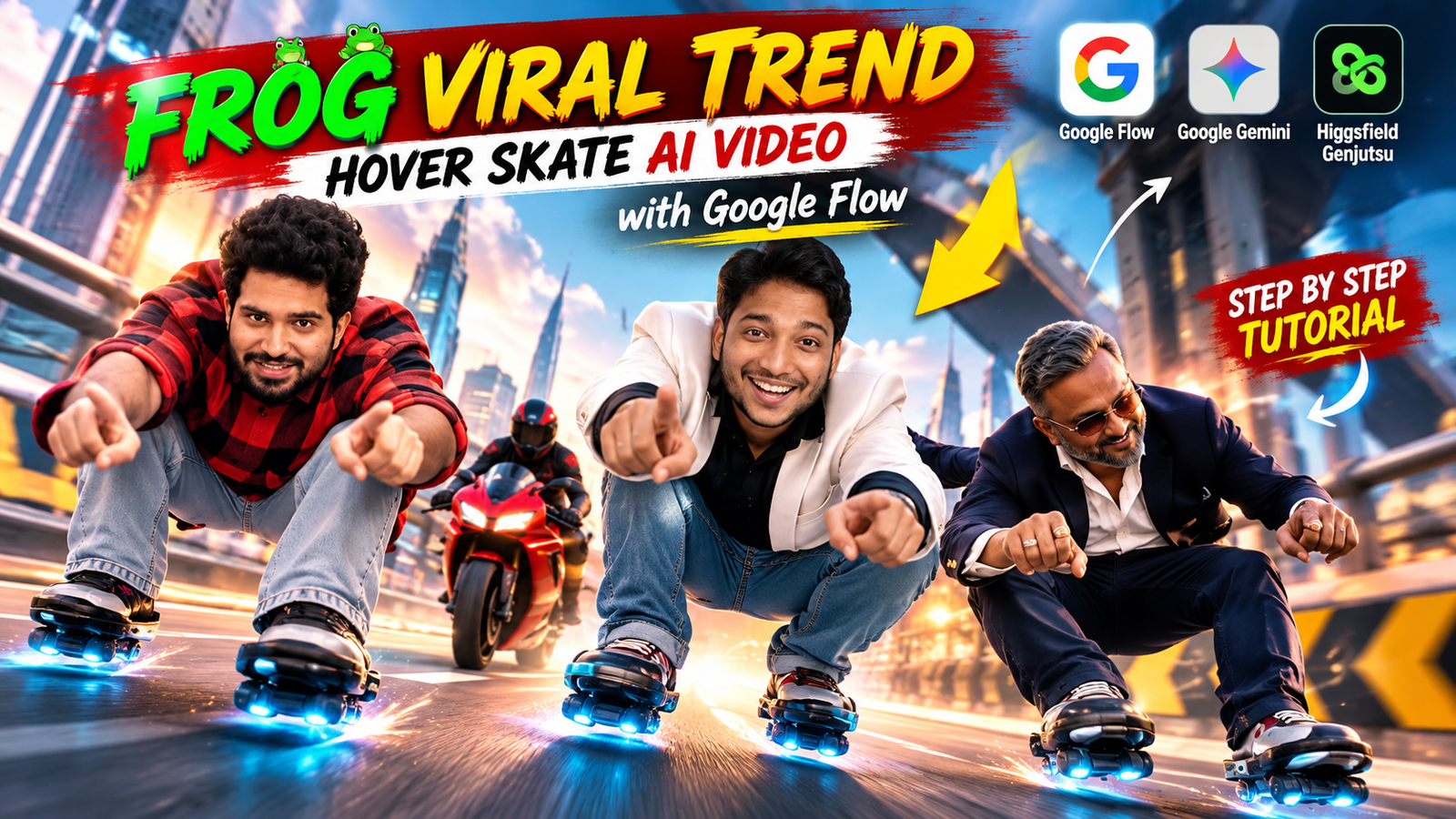
Bhai, kya tumne social media par aise funny AI videos dekhe hain, jinmein ek person frog jaisi position mein tiny Hover Skates par glide karta hai aur peeche se bike aate hi hawa mein jump kar deta hai? Is tarah ke videos mein character ki movement, camera angle aur funny reaction milkar ek entertaining scene banate hain.
Agar tum bhi apni photo se aisa video banana chahte ho, toh is article mein tumhe Frog Viral Trend Prompt, Google Flow AI Video Prompt aur Higgsfield Genjutsu se motion transfer karne ka tarika milega. Saath hi, reference video download karne aur copy-paste prompt use karne ka process bhi samjhenge.
Frog Viral Trend AI Video Kya Hai?
Frog Viral Trend ek funny, futuristic AI video style hai. Ismein character dono pairon ke neeche chhote hover skates lekar frog jaisi squat position mein glide karta hai. Phir ek motorbike peeche se aati hai aur character funny reaction dete hue jump karta hai.
Is tarah ka Hover Skate AI Video banate waqt sirf prompt hi nahi, balki reference video ki movement bhi important hoti hai. Isi wajah se sahi AI platform choose karna tumhare result mein farq la sakta hai.
Google Flow Se Frog Viral Trend Video Kaise Banaye?
Bhai, video banane se pehle tumhe ek AI platform par account access karna hoga. Tum Google Flow, Google Gemini ya Higgsfield mein se apni zaroorat ke hisaab se option choose kar sakte ho.
Step 1: AI Platform Par Account Kaise Banaye?
- Google Flow: Google Flow open karo aur apne Google account se sign in karo, agar sign-in ka option aaye.
- Google Gemini: Google Gemini open karke Google account se sign in kar lo. Video-generation features ki availability account ke hisaab se alag ho sakti hai.
- Higgsfield: Higgsfield AI open karo aur available sign-up option se account create karo ya login kar lo.
Yaad rakhna, account banana aur video generate karna alag cheezein hain. Kuch features ke liye credits ya paid plan ki zaroorat ho sakti hai.
Step 2: Kaunsa Platform Best Rahega?
Google Flow: Agar tum detailed prompt aur visual references ke saath cinematic AI video banana chahte ho, toh Flow se shuruaat kar sakte ho. Ismein compatible workflows ke through images, frames aur video references use kiye ja sakte hain. Google Help
Google Gemini: Prompt likhne, ideas improve karne aur available video-generation features ko try karne ke liye useful hai.
Higgsfield Genjutsu: Agar tumhara main goal reference video ki movement aur camera timing ko zyada closely follow karna hai, toh Higgsfield Genjutsu try karna worth it hai. Iska Motion Transfer workflow existing video ki movement ko use karke naye character aur scene ke saath video banane ke liye design kiya gaya hai. Higgsfield
Step 3: Photo Aur Reference Video Upload Karo
Google Flow mein new project start karo. Apni clear photo aur reference video upload karo, agar selected workflow dono support karta hai.
Photo mein face clearly visible hona chahiye. Reference video mein body movement aur camera angles jitne clear honge, AI ko desired scene samajhne mein utni madad mil sakti hai.
Step 4: Video Ratio Select Karo
Instagram Reels aur YouTube Shorts ke liye 9:16 vertical ratio select karo, agar tumhare selected model mein option available hai. Saath mein generation length aur output settings bhi check kar lena.
Step 5: Prompt Paste Karke Generate Karo
Neeche diya gaya prompt copy karke Google Flow mein paste karo. Photo aur reference video sahi se select karne ke baad Generate par click kar do.
Video ready hone par face, hover skates aur jump ki movement check karna. Har generation perfect nahi hoti, isliye zaroorat padne par prompt improve karke dobara try kar sakte ho.
Select the Right Video Size
Agar tumhara target Instagram Reels ya YouTube Shorts hai, toh 9:16 vertical format ek suitable choice hai. Isse video mobile screen par full-screen style mein dikh sakta hai.
Dhyan rahe ki aspect ratio aur resolution alag settings hain. Ratio video ka shape decide karta hai, jabki resolution uski detail aur sharpness ko affect karta hai.
Caption Ideas for This AI Video
Apne video ke saath ye captions try kar sakte ho:
- Bhai, ye frog wali ride kahan milti hai? 😂🐸
- POV: Jab peeche se bike aa jaaye! 🤣
- Normal skateboard nahi, ye toh next-level AI hai! 🚀
- AI ne mujhe frog bana diya! 😂
Better Result: Frog Viral Trend with Higgsfield Genjutsu
Bhai, agar Google Flow se tumhe achha result mil raha hai lekin original reference video jaisi movement chahiye, toh Higgsfield Genjutsu ka Motion Transfer workflow try kar sakte ho.
Iska purpose existing video ki movement aur camera work ko use karke scene ko naye character ya visual style ke saath recreate karna hai. Lekin exact result ki guarantee nahi hai.
Genjutsu Ki Useful Settings
- Higgsfield Genjutsu open karo aur Motion Transfer option choose karo, agar tumhare interface mein available ho.
- Frog Viral Trend ka reference video upload karo. Clear movement wala clip use karna behtar rahega.
- Apni clear photo character reference ke roop mein upload karo.
- Prompt mein clearly likho ki original movement aur camera framing ko preserve karna hai, lekin character ki appearance tumhari photo se leni hai.
- Agar resolution select karne ka option mile, toh 1080p try kar sakte ho. Agar generation slow ho ya credits limited hon, toh pehle lower resolution mein test karna practical rahega.
- Generate karne ke baad face, outfit aur movement check karo.
Important: Motion Transfer reference video ki movement ko guide karne ke liye hai; ye har detail ko bilkul identical banane ki guarantee nahi deta. Genjutsu ke features aur credits account ke hisaab se vary kar sakte hain. Higgsfield
Reference Video Download Karo Aur Prompt Copy Karo
**TASK: Replace the Main Character Using My Uploaded Photo While Preserving the Reference Video** Use the uploaded reference video as the primary source for the entire video generation. Use my separately uploaded photo as the identity reference for the main character. **1. MAIN CHARACTER REPLACEMENT** Completely replace the original male character in the reference video with the person shown in my uploaded photo. The person in my photo must become the main character throughout the entire video. Preserve my real facial identity, facial structure, skin tone, hairstyle, and recognizable features as accurately as possible. Do not use the original character’s face. Do not blend my face with the original character’s face. My identity must remain consistent in every frame. **2. PRESERVE THE ORIGINAL VIDEO** Recreate the reference video as faithfully as possible. Preserve the original scene, action sequence, environment, lighting, background buildings, road, motorcycle rider, and cinematic atmosphere. The main character should maintain the same body position, flying posture, arm movements, leg movements, expressions, and direction of movement as the original character. Keep the motorcycle rider in the background exactly as shown in the reference video, including the rider’s appearance, motorcycle, and chasing action. **3. CHARACTER MOVEMENT AND ACTION** The main character is moving forward through the air in a dramatic action sequence, with both arms extended forward and legs bent in a natural flying posture. Maintain the original character’s timing, body orientation, head movement, and interaction with the surrounding environment. Preserve all scene transitions and camera angles from the reference video, including close-up shots, front-facing shots, side angles, and wide cinematic shots. **4. CLOTHING AND BODY CONSISTENCY** Use my uploaded photo primarily for facial identity and personal appearance. Adapt the character’s clothing to match the original character’s red-and-black checkered shirt, light gray trousers, and sneakers, unless my uploaded photo clearly specifies a different outfit that must be retained. Maintain realistic body proportions, natural fabric movement, accurate shadows, and consistent anatomy throughout the sequence. **5. CAMERA AND CINEMATIC QUALITY** Match the original camera movements, framing, perspective, depth of field, motion blur, and shot composition. Use realistic cinematic lighting, natural skin texture, detailed facial features, and smooth motion between frames. Keep the main character integrated naturally into the scene, with lighting and shadows consistent with the original environment. **6. STRICT IDENTITY CONSISTENCY** My uploaded photo is the identity reference for the replacement character. Keep my face recognizable and consistent across every shot, including wide shots, close-ups, fast movements, and changes in camera angle. Avoid face distortion, identity switching, flickering facial features, duplicate characters, unnatural limbs, or changes in hairstyle. **7. OUTPUT REQUIREMENTS** Generate a realistic cinematic video that closely follows the uploaded reference video. Preserve its original sequence of actions, camera angles, scene composition, and approximate duration. The ONLY intended major character change is replacing the original main male character with me, using my uploaded photo as the identity reference. Do not unnecessarily redesign the scene, change the motorcycle rider, add new characters, or invent new actions. **FINAL GOAL:** Make the final video look like I was the original main character performing the exact same flying action in the reference video, with my face and identity replacing the original character as naturally as possible.

FAQs – Frog Viral Trend AI Video
1. Frog Viral Trend AI Video kaise banaye? Google Flow ya Higgsfield jaise AI platforms par apni photo, reference video aur prompt use karke video generate karne ki koshish kar sakte ho.
2. Kya Google Flow free mein AI video banata hai? Free access aur generation limits account aur available plan par depend karti hain. Har feature unlimited free nahi hota.
3. Kya apni photo se Hover Skate AI Video bana sakte hain? Haan, agar selected AI tool photo reference support karta hai, toh tum apni photo se character ki appearance guide kar sakte ho.
4. Frog Viral Trend ke liye Google Flow ya Higgsfield, kaunsa better hai? Dono try kar sakte ho. Google Flow prompt-based video creation ke liye useful hai, jabki Higgsfield ka Motion Transfer workflow reference video ki movement follow karne ke liye useful ho sakta hai.
Final Words
Bhai, agar tum Frog Viral Trend ka AI video banana chahte ho, toh Google Flow se shuruaat karo. Agar tumhara focus reference video ki movement aur camera timing ko closely follow karna hai, toh Higgsfield Genjutsu ka Motion Transfer workflow bhi try kar sakte ho.
Apni photo clear rakho, reference video sahi choose karo aur prompt ko dhyan se use karo. Isse tumhe apne desired result ke kareeb pahunchne mein madad mil sakti hai.
Trending Keyword Ideas
- Frog Viral Trend Prompt
- Hover Skate AI Video Prompt
- Google Flow AI Video Prompt
- Higgsfield Genjutsu
- Higgsfield Motion Transfer
- Hoverboard AI Video
- Futuristic Skateboard AI Video
- Google Flow Reference Video
- AI Video From Photo
- Frog AI Video Prompt
- Viral AI Video Prompt
- AI Video Generator
